App Guide Page
Your pocket tool for a cleaner city. Report garbage, blocked drains, and dirty streets instantly with just a few taps.
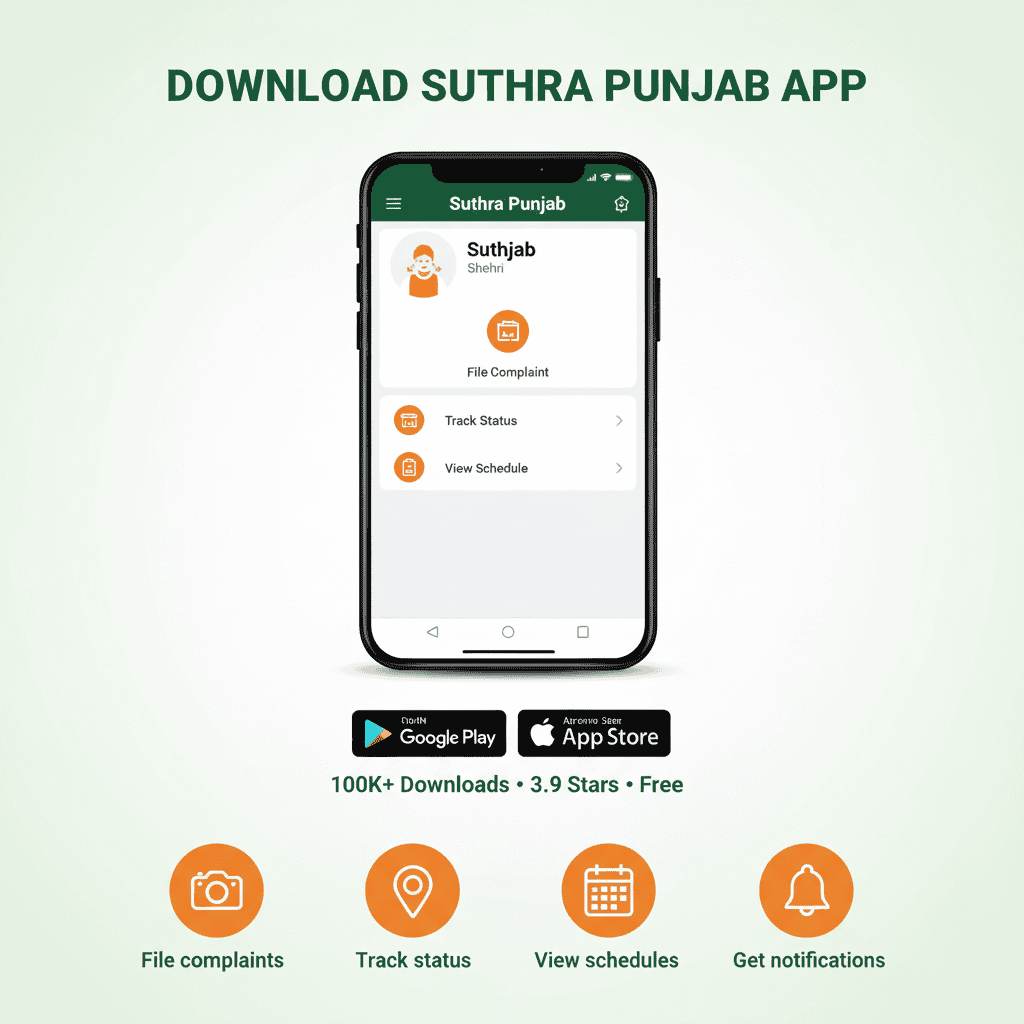
📥 Download on Play StoreDeveloped by PITB | Free for all Android users
What is the Shehri App?
The Suthra Punjab Shehri App is the official mobile tool designed to connect citizens directly with waste management authorities. Instead of waiting for someone to notice a problem, you can become the eyes of the city. Whether it's uncollected trash, overflowing bins, or clogged drains, this app lets you report issues with photos and exact location data.
Built by the Punjab Information Technology Board (PITB), the app is part of the larger digital ecosystem that monitors cleanliness across the province. It ensures that every complaint is recorded, tracked, and resolved transparently.
I met a young man in Gujranwala last month who showed me his app. He had filed seventeen complaints over the past year—every single one resolved. "I used to feel helpless," he said. "Now I have proof that my voice matters."
| App Detail | Information |
|---|---|
| App Name | Suthra Punjab Shehri |
| Developer | Punjab IT Board (PITB) |
| Platform | Android (Google Play Store) |
| Size | Lightweight (Approx. 6–12 MB) |
| Requirement | Android 4.4 or newer |
| Cost | 100% Free |
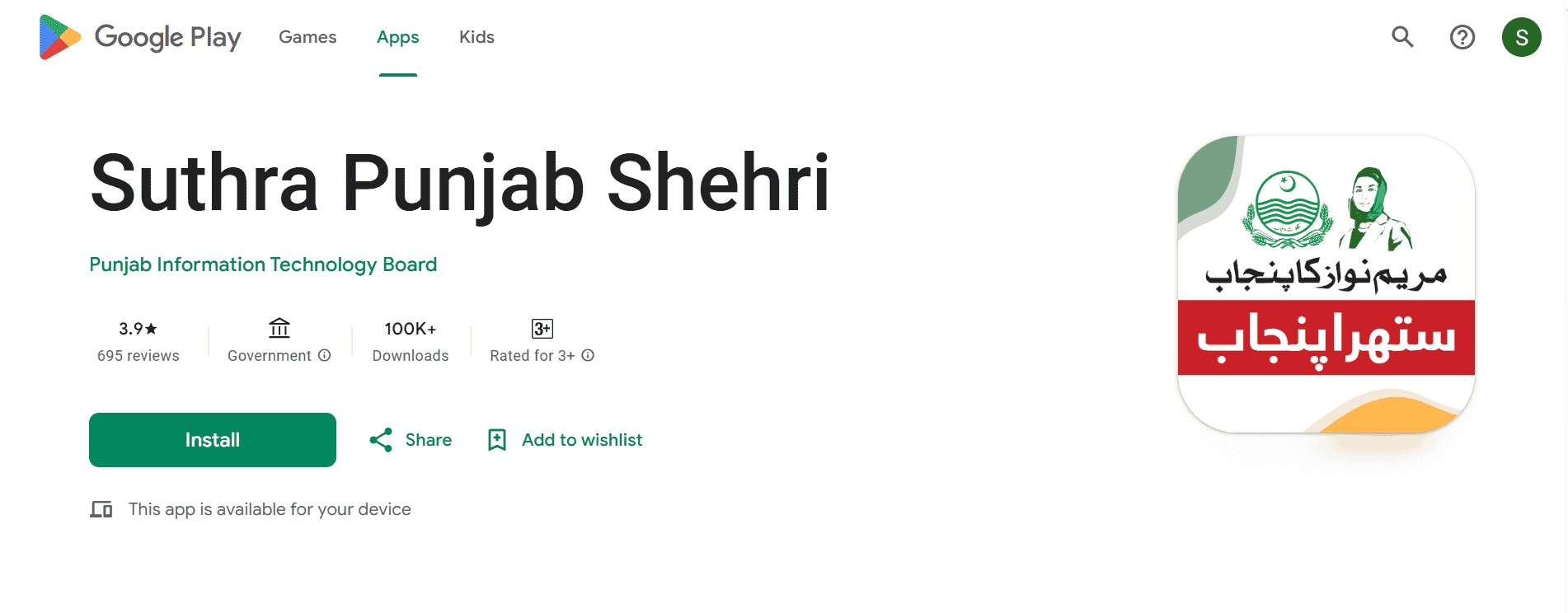
How to Download & Install
Getting the app on your phone is quick and easy. Follow these simple steps:
Open Google Play Store
Unlock your Android phone and tap on the "Play Store" icon. It's usually on your home screen or in the app drawer.
Search for the App
Type "Suthra Punjab Shehri" in the search bar at the top. Make sure you spell it correctly—autocomplete usually helps.
Install
Look for the official app by Punjab Information Technology Board—it has the green and white icon. Tap the green Install button and wait a few seconds for the download to complete.
Open & Register
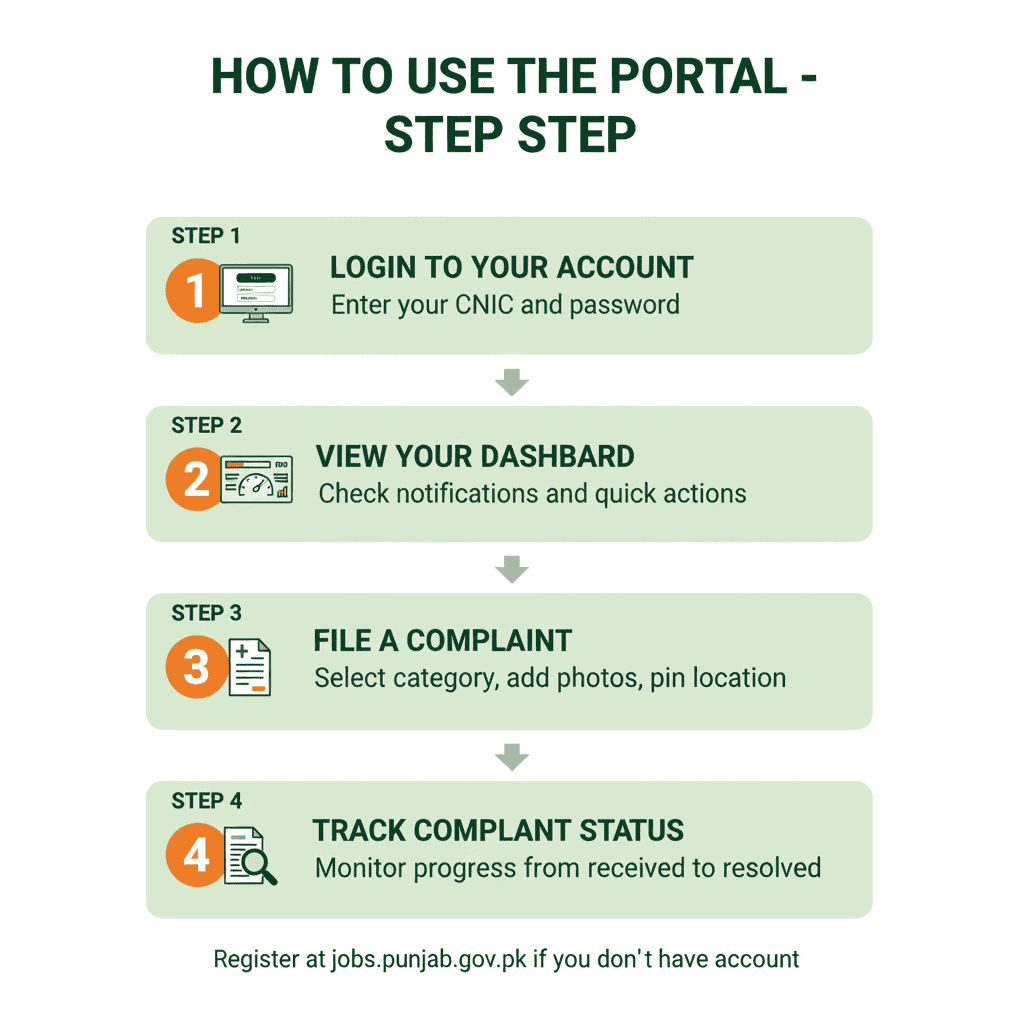
Once installed, tap "Open." You will need to register using your CNIC number and mobile phone number. An OTP (one-time password) will be sent via SMS to verify your identity. Enter it, and you're done.
⚠️ Can't find the app?
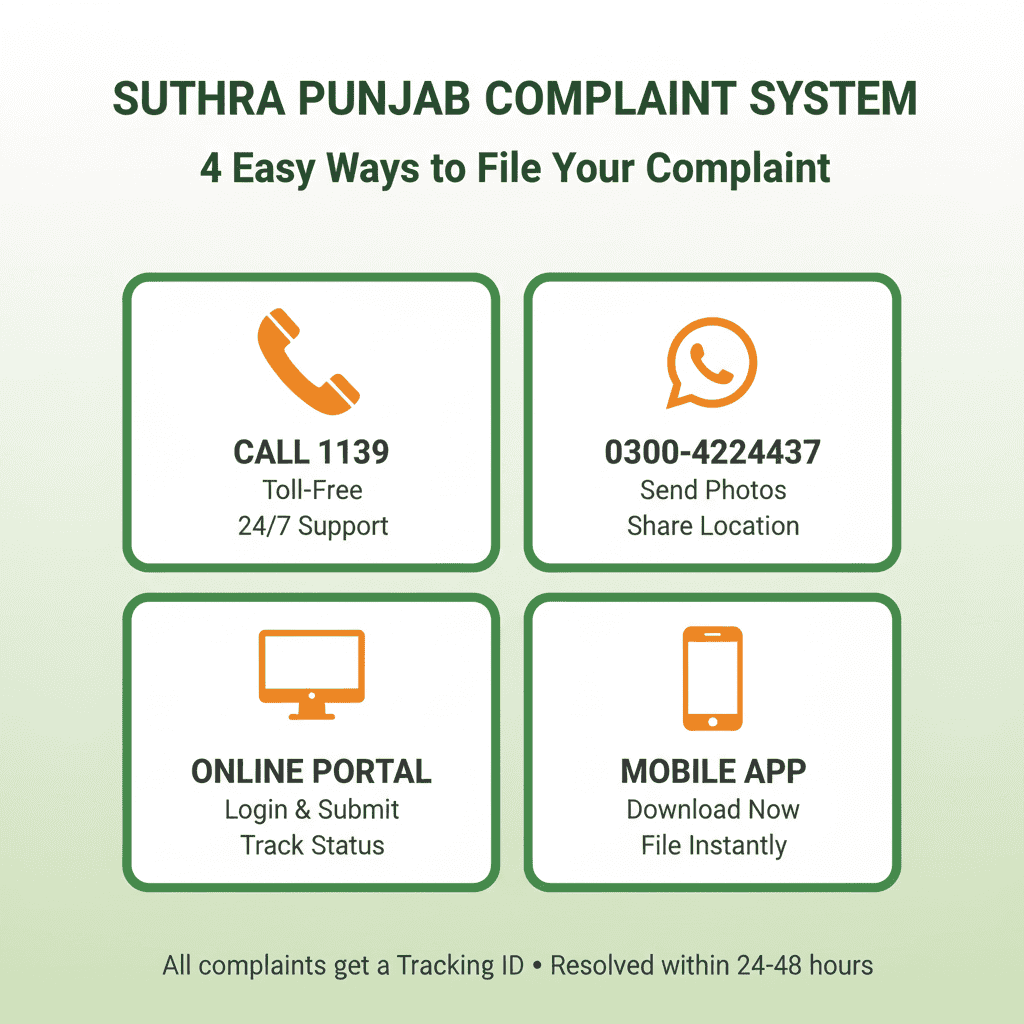
If the app doesn't appear in your Play Store search, it might be temporarily unavailable in your region, or your phone might not be compatible. Don't worry—you can still report issues by calling the helpline 1139 or visiting the official citizen portal online at complaints.suthrapunjab.pk.
ستھرا پنجاب شہری ایپ: مکمل رہنمائی
پنجاب انفارمیشن ٹیکنالوجی بورڈ (PITB) کی تیار کردہ ستھرا پنجاب شہری ایپ شہریوں کو صفائی کے مسائل کی شکایت درج کرنے کا سب سے آسان ذریعہ فراہم کرتی ہے۔ یہ ایپ آپ کو اپنے موبائل فون سے چند ٹیپس پر کچرے کے ڈھیر، بند نالیوں، یا گندگی کی تصاویر کھینچ کر حکام تک پہنچانے کی سہولت دیتی ہے۔
ایپ کے اہم فیچرز:
- ✓ کچرے اور گندگی کی تصاویر کھینچ کر اپ لوڈ کریں۔
- ✓ آپ کی موجودہ لوکیشن خودکار طریقے سے درج ہو جائے گی۔
- ✓ شکایت کا نمبر ملے گا جس سے آپ اسٹیٹس چیک کر سکتے ہیں۔
- ✓ اپنے علاقے میں کچرا اٹھانے کا شیڈول دیکھیں۔
- ✓ پرانی شکایات کا ریکارڈ محفوظ رکھیں۔
ایپ ڈاؤن لوڈ اور استعمال کرنے کا طریقہ:
- گوگل پلے اسٹور کھولیں اور "Suthra Punjab Shehri" لکھ کر سرچ کریں۔
- انسٹال کے بٹن پر کلک کریں اور ایپ ڈاؤن لوڈ ہونے کا انتظار کریں۔
- ایپ کھولیں اور اپنے شناختی کارڈ (CNIC) اور موبائل نمبر سے رجسٹر کریں۔
- شکایت کی قسم منتخب کریں (جیسے کچرا نہ اٹھنا، نالی بند ہونا)۔
- مسئلے کی تصویر کھینچیں اور لوکیشن کنفرم کریں۔
- شکایت جمع کروا دیں اور اس کا ٹریکنگ نمبر نوٹ کر لیں۔
نوٹ: اگر ایپ میں کوئی مسئلہ آئے تو آپ ہیپ لائن 1139 پر کال کر کے بھی شکایت درج کروا سکتے ہیں۔
How a Housewife in Multan Used the App
Parveen Bibi lives in a narrow lane in Multan's old city. For months, a pile of construction debris sat at the corner of her street, attracting flies and making it difficult for children to walk to school. She complained to the local council office twice, but nothing happened.
Then her nephew installed the Suthra Punjab app on her phone and showed her how to use it. She took a photo of the debris, pinned the location, and submitted the complaint. The next morning, a truck arrived and cleared the entire pile within an hour. A week later, she received a notification asking her to rate the service.
"I gave them five stars," she says with a smile. "My nephew taught me how to use the app, and now I've filed four more complaints. Every single one was fixed. I tell all my neighbors—if you have a problem, use the app. It actually works."
Stories like Parveen's are becoming common across Punjab. The app has given ordinary citizens a direct line to the authorities—and more importantly, it has shown them that their complaints are taken seriously.
Top Features You'll Love
This isn't just a complaint box; it's a complete toolkit for civic engagement. Here's what makes it powerful:
Photo Evidence
Take a picture of the garbage or blocked drain directly within the app. Visual proof helps teams understand the urgency and sends the right equipment the first time.
Auto GPS Location
No need to type addresses. The app automatically pins your exact location using your phone's GPS. This means trucks know exactly where to go—down to the correct house.
Live Tracking
Get a unique ID for every complaint. Watch the status change from "Received" to "In Progress" and finally "Resolved." You'll know exactly when the team is on its way.
Collection Schedule
Wondering when the truck is coming? Check the schedule for your specific area to plan your waste disposal. You can even set reminders so you never miss the pickup.
History Log
View all your past complaints in one place. See what was fixed, when it was fixed, and keep a record of any unresolved issues. This is useful if you need to escalate a problem.
Multiple Categories
Report various issues: uncollected waste, dirty streets, dead animals, overflowing containers, blocked drains, or illegal dumping. Each category routes your complaint to the right department.
Troubleshooting: Common Issues
Like any digital tool, you might face small hurdles. Here's how to fix the most common problems:
- OTP Delay: If the verification code doesn't arrive immediately, wait 2 minutes and request it again. Make sure you have a stable network signal. If you're in a basement or remote area, try moving to a spot with better reception.
- Login Errors: Make sure you are entering your CNIC without dashes (-) and your registered mobile number correctly. Your CNIC should be 13 digits with no spaces.
- GPS Not Working: Go to your phone settings and ensure "Location Services" are turned on for the Suthra Punjab app. Also check that you've granted the app permission to access your location.
- App Crashing: This usually happens on very old phones or when the app cache is full. Try clearing the app cache in settings, restarting your phone, or updating your Android version if possible.
- Status Not Updating: Sometimes field teams take time to update the system after completing work. If it's been more than 48 hours and your complaint still shows "In Progress," call the helpline with your tracking ID.
📱 Pro Tip: Keep your app updated. New versions often fix bugs and add features. Enable auto-updates in the Play Store so you always have the latest version.
Explore Suthra Punjab Resources
Everything you need to know about the program—from filing complaints to finding jobs—all in one place.

Let's Keep Punjab Clean Together!
Technology is only as good as the people who use it. By downloading this app and reporting issues, you are playing an active role in making your city healthier and cleaner. Every complaint you file helps the system learn and improve.
Or call 1139 for immediate assistance. The helpline is available 24/7 and is completely free.